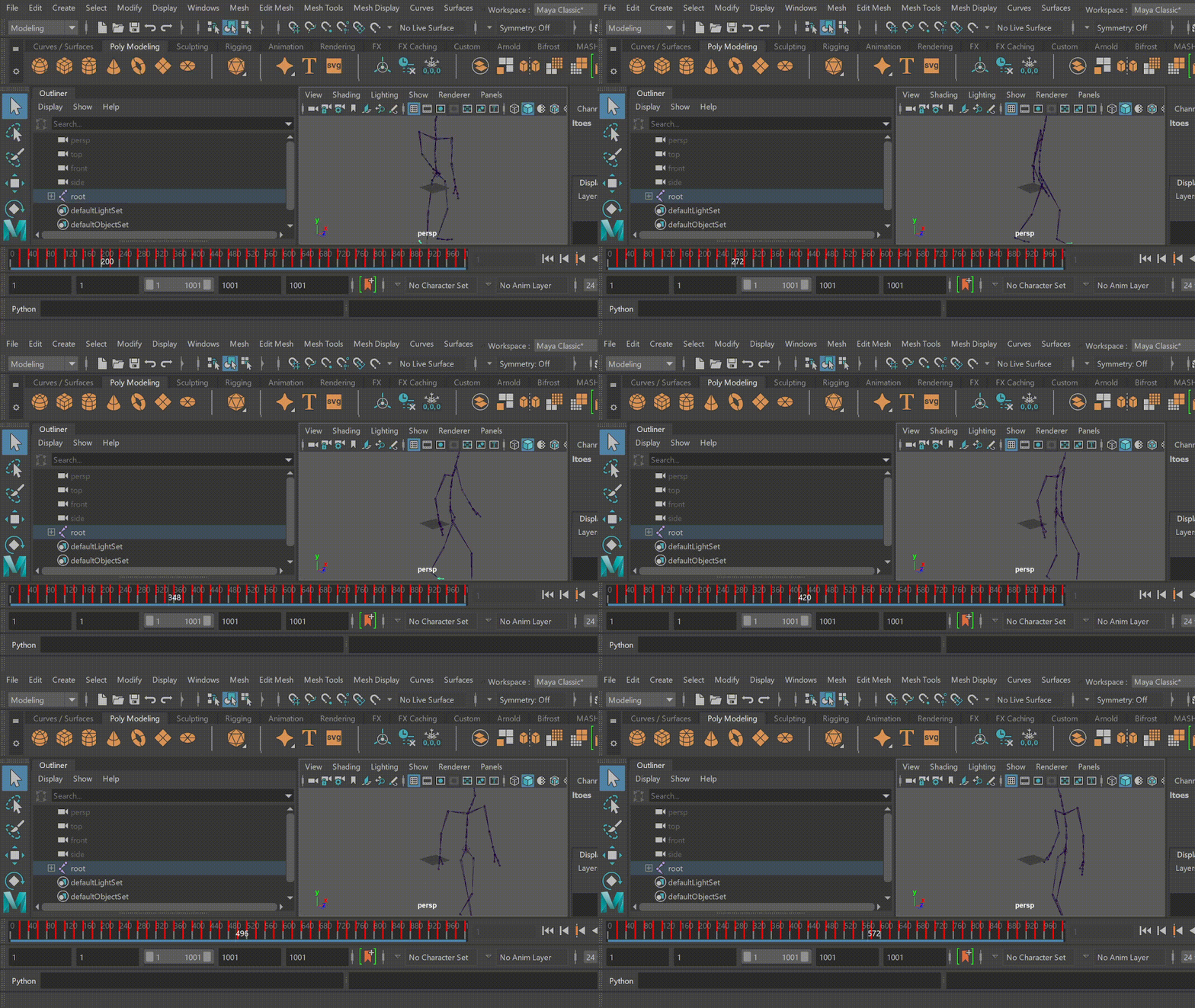
Render HDM05/Mocap format in Maya
This tutorial shows how to render animations from HDM05 and MOCAP. Briefly, we first use their tutorial for maya to generate skelelon files, and then use our GenMotion api to render animations.
Prepara skeleton with animations
We use
asffiles in HDM05 and MOCAP to generate skeletons. HDM05, as the name suggests, contains five skeletons that you can download from the official website:
Then you maya follow the steps by this tutorial for maya to generate skelelons.
We include the skeletons in our folder; you may download them from this link.
Open Maya with socket server (HDM05/Mocap)
After starting Maya, open the Script Editor

Start a new Python script in the
Script Editorand type the following command to open a [commandport] as a a local **socket server** with a PORT code e.g. 12345
import maya.cmds as cmds

# Open a command port with the default name "mayaCommand".
cmds.commandPort(n="localhost:12345")
Import FBX model into Maya (HDM05/Mocap)
In Maya scene, import the downloaded fbx file;

Now everything is ready to make animation from scripts in Maya.
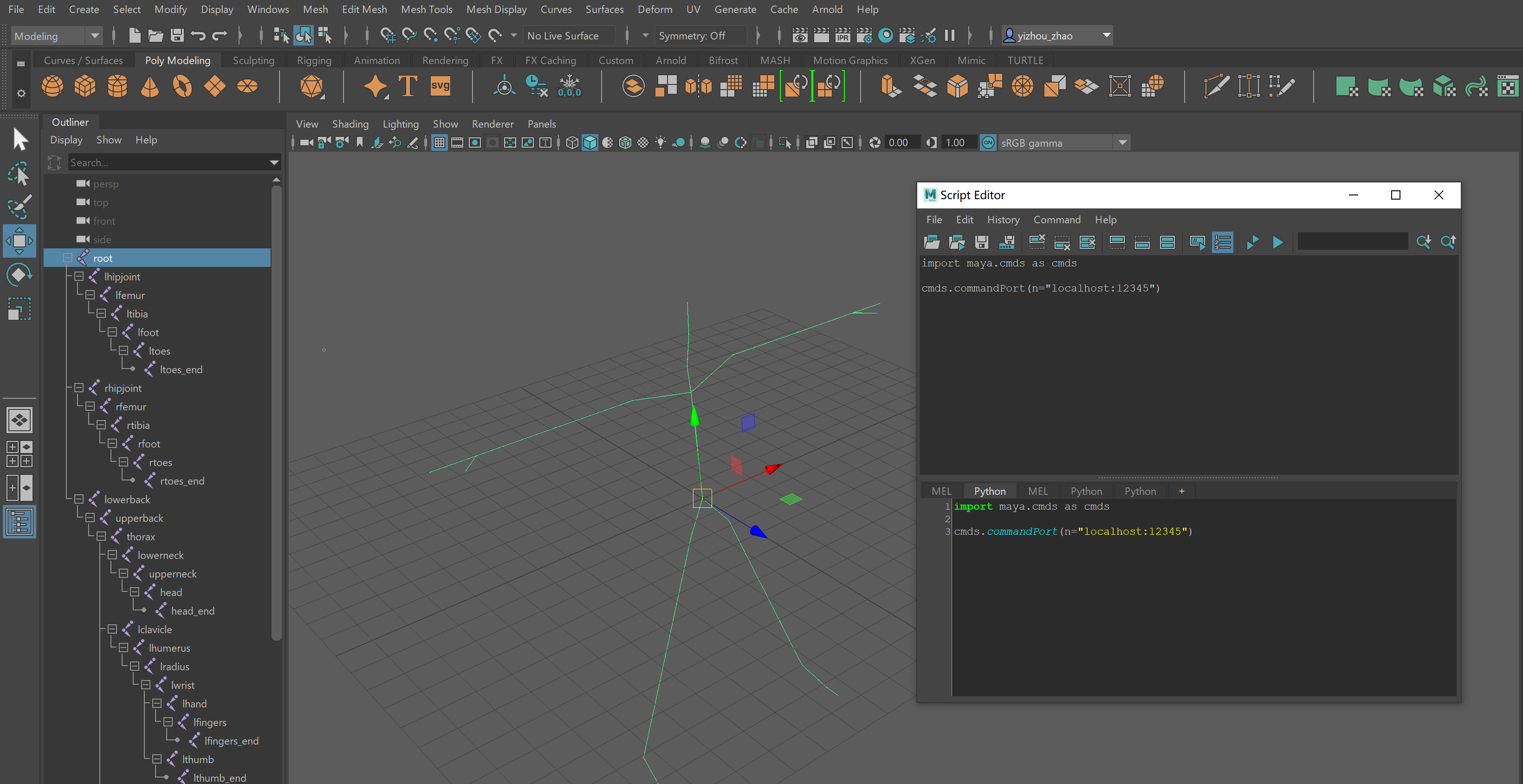
In Maya scene view, you will have see the skeleton prefix (e.g. f_avg) in the Outliner view, the FBX with skin and skeleton in View Port, and the socket server opened by the Script Editor.
[1]:
# asf_file = "C:/Users/Yizhou Zhao/Downloads/HDM_bd_test.asf"
[2]:
# asf_joint2dof = {}
# with open(asf_file) as f:
#     current_joint_name = None
#     for line in f.readlines():
#         if "name" in line:
#             current_joint_name = line.split()[-1]
#             #print(current_joint_name)
#         if "dof" in line:
#             #print(line.split())
#             asf_joint2dof[current_joint_name] = line.split()[1:]
Make an animation (HDM05/Mocap)
[4]:
# import packages
import numpy as np
from tqdm.auto import tqdm

from genmotion.dataset.hdm05_params import ASF_JOINT2DOF
from genmotion.render.maya.utils import MayaController
[5]:
# locate your amc (animation) file
amc_file = "../thirdParty/hdm05/HDM_bd_01-01_01_120.amc"
[6]:
# Set up Maya Controller (socket client) with PORT number
mc = MayaController(PORT=12345)
[21]:
frame_count = 0 # record frame
with open(amc_file) as f:
    for line in tqdm(f.readlines()):
        if line.strip().isdigit():
            frame_count += 1
            mc.SetCurrentTimeFrame(int(line.strip()))

        # set up animation,  interpolate every 20 key frames
        elif frame_count > 0 and frame_count % 20 == 0:
                joint_name = line.strip().split()[0]
                joint_pose = line.strip().split()[1:]

                if joint_name == "root":
                    # set transform for root
                    mc.SetObjectAttribute(joint_name, "translateX", joint_pose[0])
                    mc.SetObjectAttribute(joint_name, "translateY", joint_pose[1])
                    mc.SetObjectAttribute(joint_name, "translateZ", joint_pose[2])
                    mc.SetObjectAttribute(joint_name, "rotateX", joint_pose[3])
                    mc.SetObjectAttribute(joint_name, "rotateY", joint_pose[4])
                    mc.SetObjectAttribute(joint_name, "rotateZ", joint_pose[5])
                else:
                    for i in range(len(ASF_JOINT2DOF[joint_name])):
                        dof = ASF_JOINT2DOF[joint_name][i]
                        if dof == "rx":
                            # set rotation for joints
                            mc.SetObjectAttribute(joint_name, "rotateX", float(joint_pose[i]))
                        if dof == "ry":
                            # set rotation for joints
                            mc.SetObjectAttribute(joint_name, "rotateY", float(joint_pose[i]))
                        if dof == "rz":
                            # set rotation for joints
                            mc.SetObjectAttribute(joint_name, "rotateZ", float(joint_pose[i]))

                # record keyframe
                mc.SetCurrentKeyFrameForPositionAndRotation(joint_name)

        # only show the first 1000 key frames for demo
        if frame_count > 1000:
            break
10%|█ | 30003/295263 [00:15<02:18, 1909.13it/s]
[22]:
# Set timeline maximum
mc.SendCommand("playbackOptions -max {}".format(str(frame_count)))
[22]:
'1001.0\n\x00'
Now we can see the animation in Maya